



Skip to content
💙 Verified news about OnlyFans creators in Spain and Latin America · How we verify
Guide

OnlyFans Without Showing Your Face: How to Protect Your Identity and Its Limits

Do you have to show your face on OnlyFans? No. How to open an account without showing your face: stage name, separate email, country blocking, metadata and the limits.

OnlyFans Without Showing Your Face: How to Protect Your Identity and Its Limits

Short answer: you don't have to show your face on OnlyFans. The platform does verify your identity with an ID and two photos of you, but that information isn't published on your page. To keep your face private, use a stage name, a separate email and phone number, country blocking and a watermark, and check the metadata and backgrounds of every file. Even so, no method is 100% anonymous.

This guide is for adults 18 and older only. Many creators work without showing their face to keep their personal life separate from their work, to protect themselves from harassment, or simply because they decided so from the start. Here we explain what the platform requires, how to set up your account step by step, which details can give you away even if your face never appears, and the real limits of this approach.

Do you have to show your face on OnlyFans?

Not to the public. OnlyFans' Terms of Service don't require your face to appear in your posts: what you post is up to you, within the rules. What is mandatory is identity verification. To open a creator account you have to upload a valid ID and two photos of yourself, and add a bank account or payout method in your name. The platform can ask for more information at any time.

The platform sees that information; your subscribers don't. Your page shows the name, username and photos you choose. So the real question isn't whether you can be anonymous, but to whom: to your fans, yes; to OnlyFans, your bank and the tax authorities, no.

How to open an OnlyFans account without showing your face

  1. Choose a stage name with no connection to your real name, your city, your birth date or any nickname people know you by.
  2. Create a new email address just for this work and don't use it for any personal service.
  3. Get a separate phone number so your personal number doesn't show up in messaging apps.
  4. Don't link your personal accounts. Bustle warns that if you sign up with an X or Google account, the platform may bring over your username and other details from that profile.
  5. Use a profile picture and banner without your face: a logo, an illustration, your hands or an object that represents your brand.
  6. Turn on two-step verification on OnlyFans and on your work email.
  7. Set up country blocking and a watermark before your first post (explained below).
  8. Create separate promotion accounts, without following family, friends or coworkers, and with contact syncing turned off.

What can give you away even without your face

Your face is only part of your identity. In an interview published by Vice in February 2025, a creator who never shows her face said someone from her school recognized her from the backgrounds in her photos. Since then she checks every image and avoids going live from places that appear in her content. Before posting, check:

  • Tattoos, moles, scars and birthmarks. Cover them with makeup, clothing or framing, or blur them when editing.
  • Jewelry, nails, watches and clothes you also wear on your personal social media.
  • The background: walls, pictures, furniture, the view from your window, building fronts, license plates, uniforms and receipts or packages with your address.
  • Reflections in mirrors, glasses, screens or windows.
  • Your voice and verbal habits, if someone you know could recognize them. You can use captions or music instead of speaking.
  • Pets and unique objects that have already appeared on your personal accounts.
  • Timing: if you show a place, post it days later, not in real time.

Metadata: the location you can't see

Phone photos and videos can store hidden data such as GPS location, the date and the phone model. Apple's Personal Safety User Guide explains that on an iPhone you can share a photo without its location from the Share menu options, and that you make that choice each time you share. Keep in mind that removing the location doesn't erase the rest of the file's data.

  • Turn off location access for the camera app, on iPhone or Android.
  • Before sending files outside the platform, use the option to remove the location or an app that strips metadata.
  • Don't share original files through cloud links with "all photo data" included.

Country blocking: useful, but not foolproof

OnlyFans lets you block access to your page from the countries you choose, in the privacy and safety settings, according to Sirency's guide. Many creators use it so their content isn't visible in their own country. It has two limits: anyone using a VPN can get around it, and if you block your country you also lose your local audience. A subscriber in another country could also copy and share your content.

Watermark

Turn on the OnlyFans watermark, which adds your username or page address to photos and videos, according to Bustle. Use only your stage name, never your real name. It doesn't prevent screenshots, but it helps prove the content is yours and sends people to your official page. If someone copies it, follow the steps in our guide on leaks on Telegram.

Content that works without a face

Working without showing your face has a cost. The creator interviewed by Vice said she gives up marketing opportunities and events, that her account would probably be bigger if she showed her face, and that she had to find a well-defined niche to grow. She also often gets accused of being a fake account. Some formats adapt better:

  • Cooking and baking filmed from above, with just your hands.
  • Fitness framed on your body, back or profile, with explanations in text.
  • Music with close-ups of the instrument.
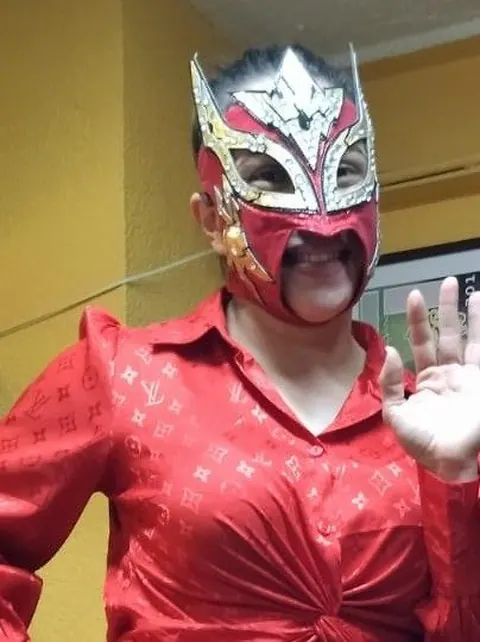
  • Cosplay with masks, helmets or full makeup.
  • Gaming with the screen and your voice, or with an avatar.
  • Nails, crafts and fashion with detail shots.

Find more ideas by niche in what content to post on OnlyFans.

The limits: nothing is 100% anonymous

  • The platform knows your identity, and your payouts go to a bank account in your name.
  • Your income is yours in the eyes of the tax authorities. The terms say each creator is responsible for her own taxes, and money you receive from abroad is recorded by your bank. Read how to get paid and report it in the step-by-step guide.
  • Anything posted can be copied. A single screenshot is enough for a file to spread outside the platform.
  • People who know you well may recognize you from details you don't notice: the way you move, your handwriting or your home.
  • One mistake is enough. A single photo with your face, a reflection or a familiar background can undo months of care.

That's why it's worth thinking from the start about what you'd do if someone close to you found out, and having a support network. All the protection measures, including fake-agency scams, are in our safety and privacy guide for creators.

This article is for information only and is not legal advice. OnlyFans settings may change name or location; always check the platform's help section.

Frequently asked questions

Does OnlyFans show my real name to subscribers?

No. Your page shows the name and username you choose. Your ID, verification photos and bank details are used by the platform to verify and pay you, and they don't appear on your page.

Can I use a mask, filters or makeup to hide my face?

Yes, in your content you can use masks, wigs, makeup, framing or filters. For identity verification, however, your face and your ID must be clearly visible.

Do you earn less on OnlyFans without showing your face?

Growth may be slower. A creator interviewed by Vice said she gives up marketing opportunities and had to find a specific niche. There are no official figures comparing income with and without a face.

Does country blocking stop people in my city from seeing me?

It greatly reduces the risk but doesn't eliminate it: a VPN can get around it and someone in another country could copy your content. Use it together with a stage name, a watermark and checking backgrounds and metadata.

What should I do if someone discovers my identity?

Don't respond to threats or pay. Save evidence, block and report the account, and request removal of any post with your details. If there's extortion, report it to the police or prosecutors in your country.

Sources

  • OnlyFans Terms of Service (onlyfans.com/terms), per the Conduct Atlas record captured May 5, 2026 and rechecked October 21, 2026: identity verification with ID and photos, payout details, additional verification on request and creators' tax responsibility (accessed November 5, 2026).
  • Vice, "This OnlyFans Model Never Shows Her Face—But Does That Really Matter?," by Kyle Phillippi, February 11, 2025.
  • Bustle, "Here's How To Subscribe To OnlyFans," by Kaitlyn Wylde, July 14, 2021, updated February 20, 2024 (data imported when linking X or Google accounts).
  • Bustle, "How To Protect Your Security On OnlyFans" (watermark and two-step verification), April 14, 2021.
  • Sirency, guide on how to block countries on OnlyFans (accessed November 5, 2026).
  • Apple, Personal Safety User Guide, page on not sharing location metadata when you share photos on iPhone or iPad (accessed November 5, 2026).
More guides

How to Get Paid From OnlyFans in the Dominican Republic: Dollar Accounts, the Central Bank Rate and What the DGII Requires
Guide · November 5, 2026

How to Get Paid From OnlyFans in the Dominican Republic: Dollar Accounts, the Central Bank Rate and What the DGII Requires

How to withdraw OnlyFans earnings in the Dominican Republic: the 20% fee, transfers to a dollar account, exchange rates, the RNC and what the Tax Code says.

How to Get Paid From OnlyFans in Ecuador: Dollar Transfers, Bank Fees and What the SRI Requires
Guide · November 5, 2026

How to Get Paid From OnlyFans in Ecuador: Dollar Transfers, Bank Fees and What the SRI Requires

How to withdraw OnlyFans earnings in Ecuador: the 20% fee, transfers to a dollar account with no currency conversion, bank fees, the RUC, RIMPE and what the SRI says.

How to Get Paid From OnlyFans in Guatemala: Transfers, the Banguat Rate and What the SAT Requires
Guide · November 5, 2026

How to Get Paid From OnlyFans in Guatemala: Transfers, the Banguat Rate and What the SAT Requires

How to withdraw OnlyFans earnings in Guatemala: the 20% fee, transfers to a dollar account, the Banguat reference rate, the NIT and what Guatemalan tax law says.

How to Get Paid From OnlyFans in Venezuela: Foreign-Currency Accounts, the BCV Rate and What SENIAT Requires
Guide · November 5, 2026

How to Get Paid From OnlyFans in Venezuela: Foreign-Currency Accounts, the BCV Rate and What SENIAT Requires

How to withdraw OnlyFans earnings in Venezuela: the 20% fee, payments in dollars, foreign-currency accounts, the official BCV rate, the IGTF and how to file with SENIAT.

How to Sign Up and Subscribe on OnlyFans: A Step-by-Step Guide for Fans
Guide · November 5, 2026

How to Sign Up and Subscribe on OnlyFans: A Step-by-Step Guide for Fans

How to get into OnlyFans if you're an adult: create a free account, find the official page, subscribe, what it costs, bundles and how to turn off auto-renew.

The 10 most searched celebrities with a página azul in November 2026
Guide · November 5, 2026

The 10 most searched celebrities with a página azul in November 2026

Monthly ranking of the celebrities with a página azul (OnlyFans) people search for most on Google: Karely Ruiz, Elizabeth Loaiza, La Bebeshita and more.

What Content to Post on OnlyFans: Niches, Formats, Schedule and Rules
Guide · November 5, 2026

What Content to Post on OnlyFans: Niches, Formats, Schedule and Rules

What content to post on OnlyFans by niche: fitness, cooking, music, makeup, fashion, cosplay and gaming. Formats, a weekly schedule and what the platform bans.

How Página Azul Works: Sign-Up, Subscriptions, Payouts and Age Checks
Guide · November 4, 2026

How Página Azul Works: Sign-Up, Subscriptions, Payouts and Age Checks

How página azul (OnlyFans) works inside: sign-up, age and identity verification, subscriptions, paid posts, tips, messages and how creators get paid.

How Much Do OnlyFans Creators Make? What the Official Figures and the Press Say
Guide · November 4, 2026

How Much Do OnlyFans Creators Make? What the Official Figures and the Press Say

How much OnlyFans creators earn: the 80/20 split, what the platform's official accounts show, what drives earnings up or down, and examples with our calculator.

How to Get Paid From OnlyFans in Argentina: Dollars, Factura E and What ARCA Requires
Guide · November 4, 2026

How to Get Paid From OnlyFans in Argentina: Dollars, Factura E and What ARCA Requires

How to withdraw OnlyFans earnings in Argentina: the 20% fee, getting paid in dollars, central bank rules, monotributo, Factura E and ARCA's tax checks.

How to Get Paid From OnlyFans in Chile: Bank Transfers, the Dólar Observado and SII Fee Receipts
Guide · November 4, 2026

How to Get Paid From OnlyFans in Chile: Bank Transfers, the Dólar Observado and SII Fee Receipts

How to withdraw OnlyFans earnings in Chile: the 20% fee, bank transfers, exchange rates and the electronic fee receipt (boleta de honorarios) the SII requires since 2025.

How to Get Paid From OnlyFans in Mexico: Bank Transfers, Exchange Rates and SAT Taxes
Guide · November 4, 2026

How to Get Paid From OnlyFans in Mexico: Bank Transfers, Exchange Rates and SAT Taxes

How to withdraw OnlyFans earnings in Mexico: the 20% fee, minimum payout, transfers with your CLABE and SWIFT code, exchange rates and what to report to the SAT.

How to Get Paid From OnlyFans in Peru: Dollar Accounts, Exchange Rates and What SUNAT Requires
Guide · November 4, 2026

How to Get Paid From OnlyFans in Peru: Dollar Accounts, Exchange Rates and What SUNAT Requires

How to withdraw OnlyFans earnings in Peru: the 20% fee, transfers to a dollar account, exchange rates, the RUC and how SUNAT treats this income.

How to Get Paid From OnlyFans in Spain: IBAN Transfers, Euros and Taxes With Hacienda
Guide · November 4, 2026

How to Get Paid From OnlyFans in Spain: IBAN Transfers, Euros and Taxes With Hacienda

How to withdraw OnlyFans earnings in Spain: the 20% fee, minimum payout, transfers to your IBAN, conversion to euros, IRPF income tax and self-employed registration.

OnlyFans Earnings Calculator: How Much Can You Make?
Guide · November 4, 2026

OnlyFans Earnings Calculator: How Much Can You Make?

Work out OnlyFans earnings: subscribers × price, minus the 20% fee. Monthly and yearly net income, in dollars or your own currency.

Página Azul Glossary: What Página Azul, YouTube Azul, Página Rosa, Only, PPV and More Mean
Guide · November 4, 2026

Página Azul Glossary: What Página Azul, YouTube Azul, Página Rosa, Only, PPV and More Mean

What página azul, YouTube azul, página rosa, Only, OF, PPV, VIP and other Spanish social media slang for subscription platforms really mean.

How to Get Paid From OnlyFans in Colombia: Payout Methods, Fees and Taxes
Guide · November 1, 2026

How to Get Paid From OnlyFans in Colombia: Payout Methods, Fees and Taxes

How to withdraw your OnlyFans earnings in Colombia: the 20% fee, minimum payout, SWIFT transfers, exchange rates and what to report to the DIAN.

How to Start on OnlyFans: A Step-by-Step Guide for Creators in Colombia
Guide · November 1, 2026

How to Start on OnlyFans: A Step-by-Step Guide for Creators in Colombia

Requirements, verification, profile setup, pricing, payouts, taxes and safety: a step-by-step guide for adults in Colombia who want to start on OnlyFans.

Safety and Privacy for OnlyFans Creators: How to Protect Your Identity and Content
Guide · November 1, 2026

Safety and Privacy for OnlyFans Creators: How to Protect Your Identity and Content

How to protect your identity and content on OnlyFans: stage names, photo metadata, country blocking, watermarks, DMCA takedowns and fake agencies.

Tips to Grow on OnlyFans: Content, Pricing and Social Media Promotion
Guide · November 1, 2026

Tips to Grow on OnlyFans: Content, Pricing and Social Media Promotion

How to grow on OnlyFans with consistency: content planning, pricing and promotions, subscriber care, social media promotion within the rules, and metrics.

How OnlyFans Works in Colombia: Prices, Payments and Subscriptions
Guide · October 21, 2026

How OnlyFans Works in Colombia: Prices, Payments and Subscriptions

A guide to OnlyFans in Colombia: what it costs, how to pay by card in dollars, how to cancel your subscription and tips to stay safe.

How to Spot Fake OnlyFans ('Página Azul') Accounts and Avoid Scams
Guide · October 21, 2026

How to Spot Fake OnlyFans ('Página Azul') Accounts and Avoid Scams

Learn to recognize fake OnlyFans profiles, Telegram scams and impersonators, and how to verify a creator's official account before you pay.

OnlyFans ('Página Azul') Leaks on Telegram: The Risks and Why to Avoid Them
Guide · October 21, 2026

OnlyFans ('Página Azul') Leaks on Telegram: The Risks and Why to Avoid Them

Telegram groups that share OnlyFans leaks: why they're illegal in Colombia, the most common scams and what to do if you're a victim.

OnlyFans vs Fansly: Differences, Fees and Which One Is Better
Guide · October 21, 2026

OnlyFans vs Fansly: Differences, Fees and Which One Is Better

We compare OnlyFans and Fansly: the 20% fee, minimum payout, subscription tiers and which is better for creators and subscribers in Colombia.

What Is a 'Página Azul'? Meaning, What It's For and How It Works
Guide · October 21, 2026

What Is a 'Página Azul'? Meaning, What It's For and How It Works

"Página azul" is Spanish slang for OnlyFans. What it means, how it works, what it costs and which Latin American and Spanish celebrities have one.